sonar
sonar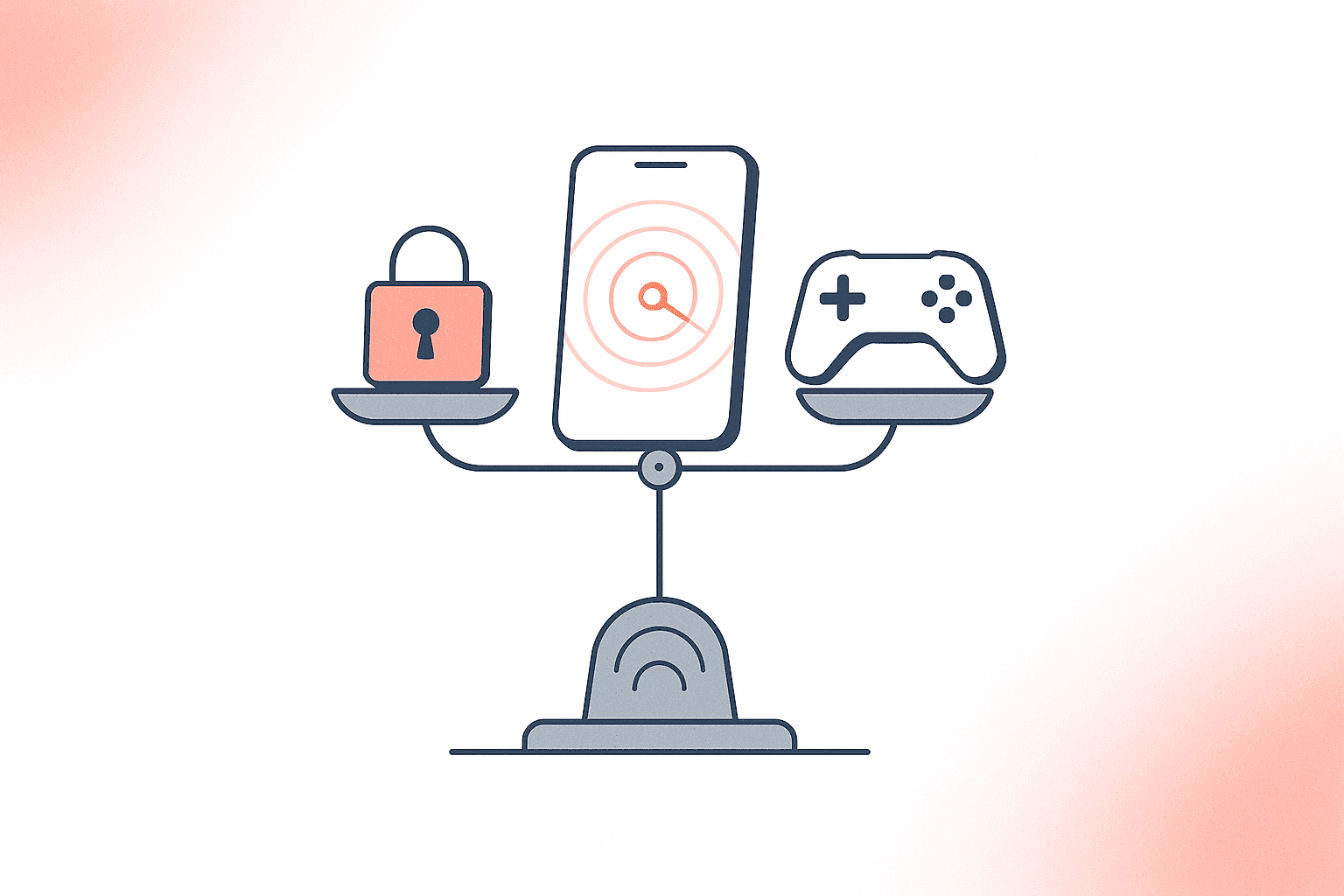
What the Play Integrity API Actually Does — and Why Enforcement Is Not Binary
The Play Integrity API replaced SafetyNet Attestation on January 31, 2025, and is now the only Google-supported way to verify that your Android app runs on a genuine device, was installed from Google Play, and has not been tampered with (source: Google developer blog, December 2024). It returns three verdict categories — device integrity, app integrity, and account details — each with tiered signals your server can evaluate before allowing a sensitive action.
But calling the API is not the same as enforcing it. Google's own documentation recommends a phased approach: collect verdicts first, analyze how they correlate with your existing abuse signals, and only then decide which actions to gate behind which verdict levels (source: developer.android.com/google/play/integrity/overview). The question is not "should I use the Play Integrity API?" It is "which verdict levels should I enforce, at which moments, for which users?"
That distinction matters because aggressive enforcement blocks real users. Developers on the Google Play Developer Community forum have reported that certified, non-rooted devices sometimes fail integrity checks, and users on privacy-focused ROMs like GrapheneOS lose access to apps they legitimately purchased (source: firebase/firebase-android-sdk issue #7110). If you build a simple utility app and require MEETS_STRONG_INTEGRITY to open the settings screen, you are trading security theater for uninstalls.
The Three Verdict Levels Explained
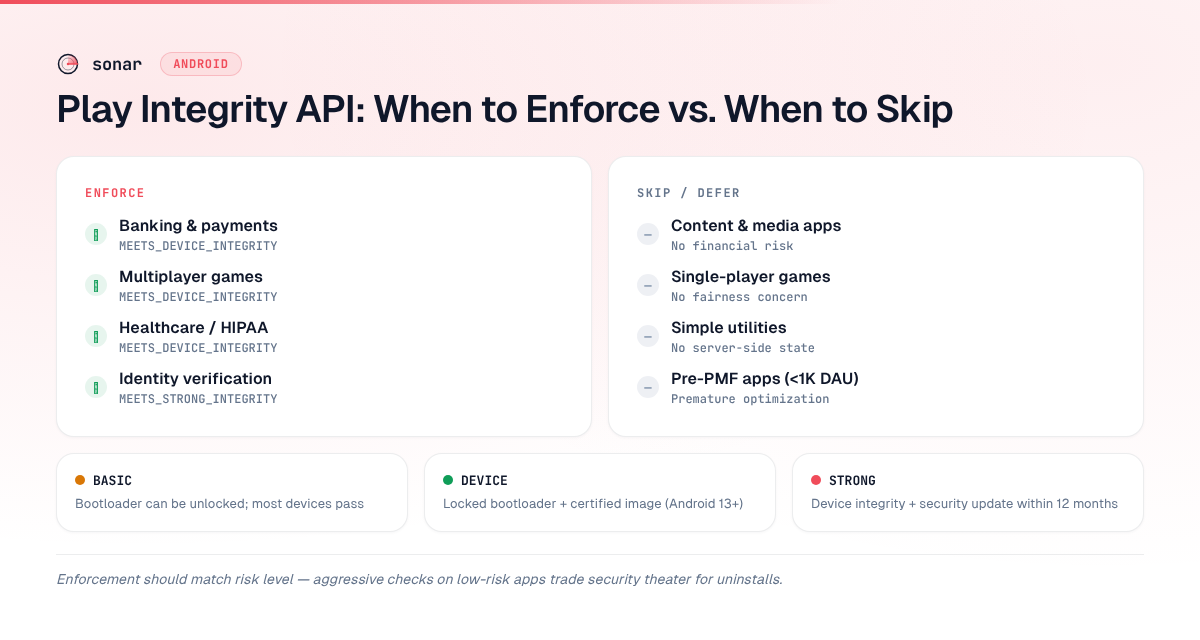
The Play Integrity API's device integrity verdict has three tiers, each progressively stricter. Understanding the exact difference is essential before you decide which level to enforce.
| Verdict label | What it proves | Who passes | Who fails |
|---|---|---|---|
MEETS_BASIC_INTEGRITY | Device passes basic system integrity checks. Bootloader can be locked or unlocked. | Most real devices, some emulators, some rooted devices | Emulator farms with no Google Play Services |
MEETS_DEVICE_INTEGRITY | Hardware-backed proof of locked bootloader and certified manufacturer image (Android 13+) | Google-certified devices with locked bootloaders | Rooted devices, custom ROMs, unlocked bootloaders |
MEETS_STRONG_INTEGRITY | Meets device integrity plus a security update within the last 12 months (Android 13+) | Recently updated certified devices | Older devices without recent patches |
Source: Integrity verdicts documentation, developer.android.com, updated February 2026.
On Android 12 and lower, MEETS_STRONG_INTEGRITY only requires hardware-backed proof of boot integrity without the security update requirement (source: developer.android.com/google/play/integrity/verdicts). This means the same verdict label has different strictness depending on OS version — a detail many developers miss.
When You Must Enforce: High-Trust Verticals
Some app categories cannot afford to skip Play Integrity enforcement. If your app moves money, stores sensitive health data, or creates competitive multiplayer environments, integrity checks are a baseline expectation from users, regulators, and platform reviewers.
Banking and Financial Apps
Banking apps operate in a category where a single compromised device can mean direct financial loss. Sonar's keyword index puts "banking app" at Android difficulty 80 and popularity 42 — a fiercely competitive category where Play Integrity enforcement is table stakes for user trust (source: Sonar /api/v1/keywords/search, queried 2026-06-12). Even "online banking" on Android sits at difficulty 77, popularity 43 — showing that apps in trust-sensitive verticals face intense competition and must use every available security signal (source: Sonar /api/v1/keywords/search, queried 2026-06-12).
For banking apps, enforce at minimum MEETS_DEVICE_INTEGRITY on login and transaction flows. Most major banking apps in the Play Store require this level, and many gate high-value transfers behind MEETS_STRONG_INTEGRITY (source: Play Console Help, support.google.com). Combine the device verdict with the appRecognitionVerdict set to PLAY_RECOGNIZED to confirm the APK was not repackaged — a critical check if your app is also distributed as an Android App Bundle, which adds signing complexity.
Multiplayer Games
Anti-cheat is revenue protection. For "multiplayer game" on Android, Sonar reports difficulty 83 and popularity 64 — the highest-traffic category where anti-cheat integrity checks directly protect revenue (source: Sonar /api/v1/keywords/search, queried 2026-06-12). When cheaters run modified clients, legitimate players leave, and lifetime value collapses.
Enforce MEETS_DEVICE_INTEGRITY on matchmaking and leaderboard submissions. Use the appAccessRiskVerdict to detect overlay apps that might be reading screen data or automating inputs — Google added dedicated remediation dialogs for this in Play Integrity API library version 1.5.0+ (source: android-developers.googleblog.com, October 2025). For games, I recommend checking the recentDeviceActivity level as well: a device making an anomalously high volume of integrity token requests is likely running an automated farm.
If you are optimizing a game listing alongside your security work, the Game ASO guide covers how to structure your store presence for the competitive categories where integrity enforcement is most common.
Healthcare and Identity Apps
Any app subject to HIPAA, PSD2, or similar regulations should treat Play Integrity enforcement as a compliance requirement. The verdict does not replace end-to-end encryption or server-side authorization, but it adds a defense-in-depth layer that auditors increasingly expect. Enforce MEETS_DEVICE_INTEGRITY at authentication and before displaying protected health information.
When Skipping Makes Sense: Low-Risk and Utility Apps
Not every app needs Play Integrity enforcement. The API has a default daily limit of 10,000 requests per Cloud Project (source: developer.android.com/google/play/integrity/setup). For apps with large install bases, requesting a quota increase adds review time (up to a week, per Google). More importantly, enforcement complexity is engineering time you could spend on the product.
Content and Media Apps
A news reader, podcast player, or note-taking app has little to gain from device integrity checks. There is no financial transaction to protect, no competitive leaderboard to secure, and no regulated data to gate. If someone runs your RSS reader on a rooted phone, nothing breaks.
The exception: if your content app has a premium subscription verified server-side, check appLicensingVerdict to confirm the install came from Google Play. This is a licensing check, not a device integrity check — it uses a different verdict field and is lighter-weight.
Single-Player Games
A single-player game where progress is stored locally has no multiplayer fairness concern. Enforcing device integrity adds latency — standard Play Integrity API requests average a few hundred milliseconds after warm-up, while classic requests take a few seconds (source: developer.android.com/google/play/integrity/standard). For a game where the player is only competing against themselves, that latency hurts the experience without protecting anything.
Early-Stage Apps Pre-Product-Market Fit
If you are still iterating on your core product, adding Play Integrity enforcement is premature optimization. Every enforcement rule is a potential failure point that generates support tickets. Ship the security investment after you have validated the product — and once you are actively working on your Play Store optimization strategy, you will have the install volume that justifies the quota and engineering effort.
The Decision Framework: A Practical Checklist
Use this table to decide whether to enforce, partially enforce, or skip the Play Integrity API for your app.
| Criterion | Enforce | Partial | Skip |
|---|---|---|---|
| App handles money or payments | Yes — MEETS_DEVICE_INTEGRITY minimum | — | — |
| App stores regulated data (health, identity) | Yes — MEETS_DEVICE_INTEGRITY minimum | — | — |
| Competitive multiplayer with leaderboards | Yes — device integrity + app access risk | — | — |
| Premium subscription verified server-side | — | Check appLicensingVerdict only | — |
| Free utility with no server-side state | — | — | Skip enforcement |
| Single-player offline game | — | — | Skip enforcement |
| Early-stage app (<1,000 DAU) | — | — | Defer enforcement |
This is not exhaustive, but it covers the majority of decisions I see Android developers face. The key principle: enforce when the cost of a compromised device exceeds the cost of blocking a legitimate edge-case user.
Implementation Tips: Avoiding Common Mistakes
Do Not Enforce on Every API Call
Google explicitly recommends against checking integrity on every single user action. Instead, check at "important moments" — login, purchase, matchmaking entry, data export (source: developer.android.com/google/play/integrity/overview). Over-checking burns your 10,000-request daily quota, adds latency to every interaction, and increases the surface area for false-positive blocks.
Use Standard Requests, Not Classic
Standard API requests use smart on-device caching and average a few hundred milliseconds of latency after warm-up. Classic requests initiate a fresh server-side assessment every time, averaging a few seconds and using more battery and data (source: developer.android.com/google/play/integrity/standard). Unless you have a specific reason to require a fresh assessment (e.g., a one-time high-value transaction), use standard requests.
Build a Tiered Response, Not a Binary Gate
Instead of blocking users outright when a verdict fails, build graduated responses:
- Full access:
MEETS_DEVICE_INTEGRITY+PLAY_RECOGNIZED+LICENSED - Limited access:
MEETS_BASIC_INTEGRITYonly — allow read-only actions, block transactions - Blocked: No integrity labels returned — show a remediation dialog using the
GET_INTEGRITYdialog code (available in library version 1.5.0+)
The remediation dialog handles multiple issues in a single flow, guiding users through fixes without requiring the developer to build custom UI (source: developer.android.com/google/play/integrity/remediation).
Monitor Verdict Distribution Before Enforcing
Google's recommended phased rollout is not just corporate caution — it is practical. I have seen developers ship strict enforcement without first analyzing their verdict distribution, then discover that 8–12% of their install base returned only MEETS_BASIC_INTEGRITY. For an app with 100,000 DAU, that is 8,000–12,000 users suddenly locked out. Collect verdict data for at least two weeks before turning on enforcement.
Play Integrity API and Your ASO Strategy
Play Integrity enforcement has indirect effects on your app store performance. An app that blocks a significant percentage of users will see higher uninstall rates, lower ratings, and worse retention metrics — all of which feed into Google Play's ranking algorithm.
Conversely, apps in high-trust categories that do not enforce integrity checks may accumulate negative reviews from users who encounter fraud or cheating. The relationship runs both ways. Picking the right enforcement level for your category protects both security and the store metrics that drive organic growth.
If you are researching keyword competition in trust-sensitive categories, Sonar's keyword difficulty scores quantify how hard it is to rank for terms like "banking app" or "online banking" on Google Play — useful for understanding the competitive intensity that makes security signals matter.
FAQ
What is the Play Integrity API?
The Play Integrity API is Google's replacement for the deprecated SafetyNet Attestation API, fully taking over on January 31, 2025. It verifies that an app is running on a genuine Android device, was installed from Google Play, and has not been tampered with. The API returns device integrity, app integrity, and account licensing verdicts that your server evaluates before allowing sensitive actions. Source: developer.android.com/google/play/integrity/overview.
Does the Play Integrity API block rooted devices?
It depends on the verdict level you enforce. MEETS_BASIC_INTEGRITY can still pass on some rooted devices, while MEETS_DEVICE_INTEGRITY requires hardware-backed proof of a locked bootloader on Android 13+, which excludes rooted devices and custom ROMs. Your enforcement policy determines what happens — you can allow basic-integrity users with limited functionality instead of blocking them entirely. Source: developer.android.com/google/play/integrity/verdicts.
How many Play Integrity API requests can I make per day?
The default quota is 10,000 requests per day per Cloud Project. You can request a higher quota through Google Play Console, but approval requires a correctly implemented integration with retry logic and a published app on Google Play. Processing the quota increase request takes up to a week. Source: developer.android.com/google/play/integrity/setup.
Should I use standard or classic Play Integrity API requests?
Use standard requests for most cases. They leverage on-device caching, average a few hundred milliseconds of latency after warm-up, and are reliable for on-demand checks at important moments. Classic requests initiate a fresh server-side assessment every time, take a few seconds, and use more battery. Reserve classic requests for rare, high-stakes actions like one-time large transactions. Source: developer.android.com/google/play/integrity/standard.
Can I use Play Integrity API without Google Play distribution?
The Play Integrity API works best when your app is distributed through Google Play, since key verdicts like appLicensingVerdict and appRecognitionVerdict depend on the Play install and signing chain. If you distribute through alternative channels, the device integrity verdict still functions, but you lose app-level and licensing verdicts. For most developers, Google Play distribution and Play Integrity enforcement go hand in hand. Source: developer.android.com/google/play/integrity/overview.
Need to understand the competitive landscape before choosing your enforcement strategy? Try Sonar free — it shows search volume, difficulty, and competitor data for every keyword on Google Play and the App Store.