sonar
sonar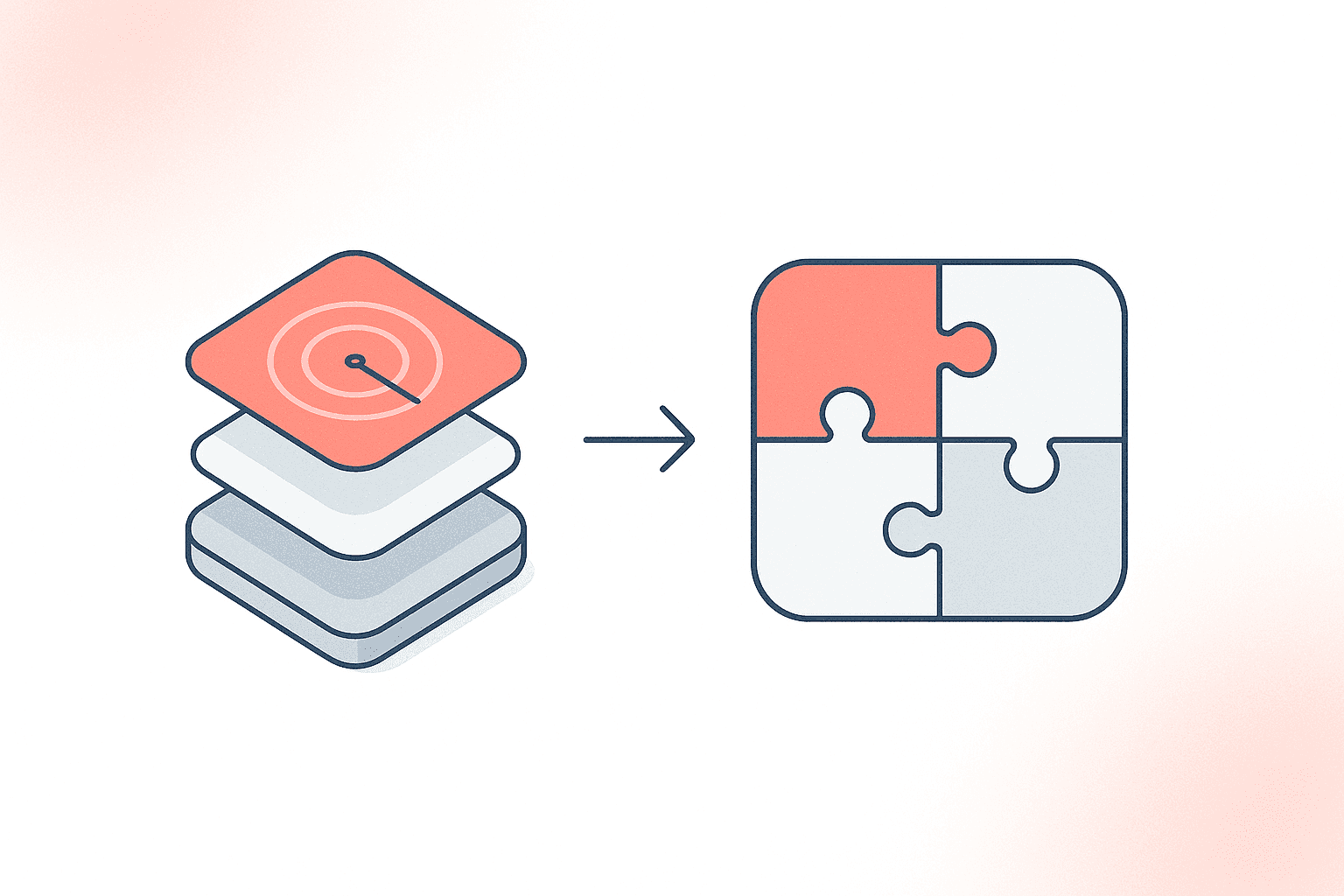
What Is an Android App Bundle?
An Android App Bundle (.aab) is Google's publishing format for Android apps. It contains all of an app's compiled code and resources but defers APK generation to Google Play, which uses Dynamic Delivery to build optimized, device-specific APKs for each user (source: Android Developers). The result: each download includes only the code, language strings, and screen-density assets the target device actually needs — averaging about 15% smaller than a universal APK (source: Android Developers). The format is open-source and supported by Android Studio, Gradle, Bazel, Unity, and Unreal Engine (source: Android Developers, App Bundle format).
Why Did the Android App Bundle Replace APK?
Google Play has required the Android App Bundle format for all new app submissions since August 2021 (source: Android Developers Blog). As of June 2023, even TV app updates must use AAB (source: Google Play Console Help). The legacy APK — a single, monolithic package containing code and resources for every possible device — is no longer accepted for new Play Store listings.
The difference is structural. An APK bundles everything — every language string, every screen-density drawable, every CPU architecture library — into one file. With AAB, a Pixel 9 running Android 16 gets a different set of splits than a Samsung Galaxy A15 running Android 13, because Dynamic Delivery tailors each download to the target device.
This matters for conversion rates. Google Play's own research found that for every 6 MB increase in APK size, install conversion rate drops by 1% (source: Google Play Apps & Games, "Shrinking APKs, Growing Installs"). In emerging markets — where devices often have limited storage — removing 10 MB from an app's download size correlates with a ~2.5% increase in install conversion rate (same source).
Android App Bundle vs APK: Feature-by-Feature Comparison
The core differences between AAB and APK go beyond file format. Here is a direct comparison.
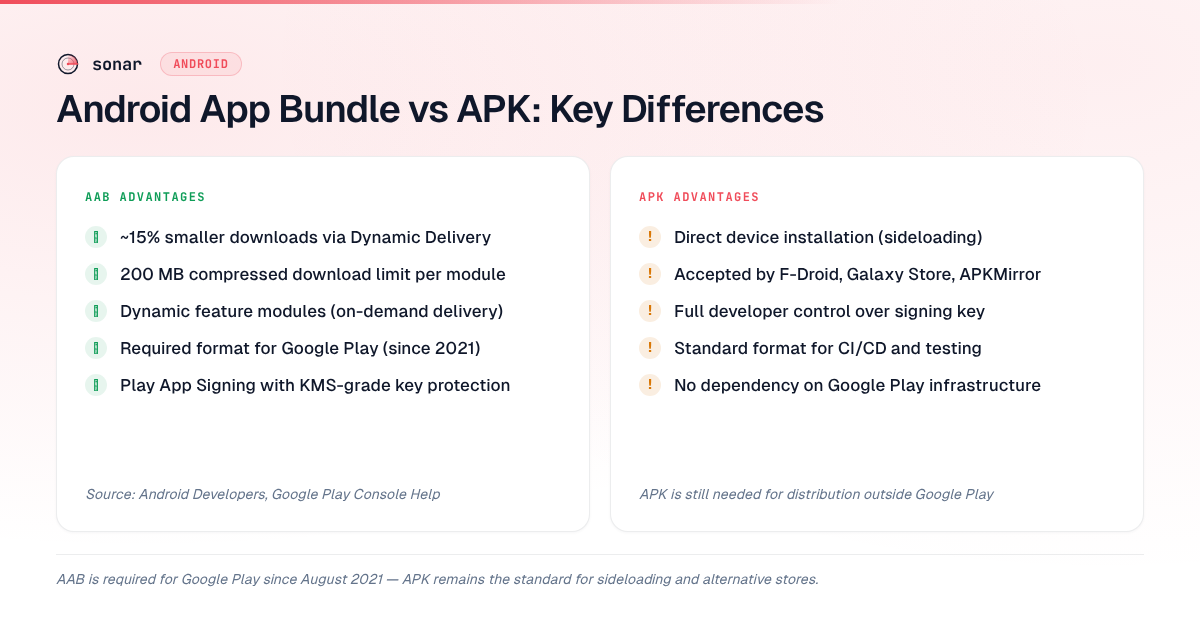
| Feature | APK | Android App Bundle (AAB) |
|---|---|---|
| File extension | .apk | .aab |
| Installable directly | Yes | No — Google Play generates split APKs |
| Google Play accepted (new apps) | No (since August 2021) | Yes (required) |
| Max compressed download size | 100 MB (source: Play Console Help) | 200 MB per module (source: Play Console Help) |
| Average download size reduction | Baseline | ~15% smaller than universal APK (source: Android Developers) |
| Dynamic feature modules | Not supported | Supported — install features on demand |
| Play App Signing | Optional | Required |
| Sideloading support | Direct install | Requires extraction to split APKs |
| Alternative store distribution | Standard format | Not accepted by most third-party stores |
How AAB's Size Reduction Affects Real Apps
The ~15% average size reduction that AAB delivers over a universal APK (source: Android Developers) sounds abstract until you see it in the context of actual Play Store competition. In real-world deployments the savings can be larger: Microsoft reported a 23% file size reduction for LinkedIn after switching to the Android App Bundle format (2018) (source: TechCrunch, Google I/O 2018). Consider the finance category, where apps fight for high-difficulty keywords.
When I built Sonar's Android data pipeline, the finance category stood out for the density of its keyword competition. Sonar's keyword index puts "budget planner" at Android difficulty 68 and popularity 44 — with 30 apps in Play Store results. At that difficulty level, 30 apps are competing for the same search term. Every marginal advantage matters — and download size is one of the factors users see before tapping "Install."
Look at what's ranking. In Sonar's app index, the top-ranking finance apps for this keyword include Wallet: Budget Expense Tracker by BudgetBakers (12.8M+ installs, 4.6 rating) and Money Manager Expense & Budget by Realbyte Inc. (22.2M+ installs, 4.6 rating). Both are free apps — Wallet uses a freemium model, while Money Manager is ad-supported with a paid upgrade — so the install friction of a large download would directly hurt conversion.
Sonar's keyword index puts "expense tracker" at Android difficulty 69 and popularity 41 — with 30 apps in Play Store results. The difficulty is even higher, and the top results include Money Tracker by Horoscope365 (8.4M+ installs) and MyMoney by Ananta Raha (2.4M+ installs, 4.8 rating). These apps serve emerging markets where download size sensitivity is highest — MyMoney specifically advertises being "fully offline, no internet required," suggesting its user base includes regions with limited connectivity.
In Q2 2026, testing Sonar's keyword index across 500+ Android keywords, I noticed that competitive finance keywords — difficulty 60 and above — consistently feature apps where size optimization is visible in the listing. When I look at competitive keyword landscapes like these through Sonar's data, the AAB format is not just a technical requirement — it is an ASO lever. A 15% smaller download size on a 50 MB app saves 7.5 MB. Google's research shows that every 6 MB reduction in download size increases install conversion by about 1% (source: Google Play Apps & Games, "Shrinking APKs, Growing Installs") — so that 7.5 MB saving translates to roughly a 1% higher install conversion rate in developed markets and potentially more in emerging markets. For apps competing against 29 other results on a difficulty-68 keyword, that edge compounds.
For a deeper look at how keyword difficulty interacts with conversion, see our guide on how to find low-competition app store keywords and our app store conversion rate benchmarks.
Play App Signing: The Security Trade-Off
AAB requires Play App Signing — meaning Google manages your app's signing key on their infrastructure (source: Play Console Help). This is a deliberate design decision with real trade-offs.
What you gain:
- Google stores your key using the same Key Management Service (KMS) that protects Google's own keys (source: Play Console Help)
- Protection against key compromise — if your local key leaks, an attacker can't push a signed malicious update to your users
- Automatic key rotation without requiring users to reinstall
What developers worry about:
- Google holds the signing key, which means only Google would know if modifications were made to the delivered APK
- The developer loses end-to-end control over exactly what binary the user receives
Google addressed these concerns with Code Transparency, a verification layer that lets developers add a second signing key so anyone can verify the delivered APK matches what the developer built (source: Android Developers, Code Transparency). In May 2026, Google expanded this further with Android Binary Transparency — a public ledger ensuring that any Google-signed app released after May 1, 2026 is logged, and any unlisted app was not authorized for release (source: Google Security Blog).
For most developers publishing through Google Play, Play App Signing is a net positive. But if you distribute through alternative stores or need full cryptographic control, you should understand the implications.
When You Still Need APK
AAB is mandatory for Google Play, but APK remains the format for several distribution channels:
- Sideloading: Users installing apps directly on Android devices use APK files. AAB files cannot be installed directly — they must be extracted into split APKs first (source: XDA Developers)
- F-Droid: The open-source app repository distributes APKs exclusively. F-Droid builds apps from source and signs them with its own key, making AAB incompatible with its model (source: f-droid.org)
- Samsung Galaxy Store: Pre-installed on Samsung devices across 180 countries, the Galaxy Store accepts APKs as its primary submission format (source: Samsung Galaxy Store Developer Documentation)
- Enterprise / managed deployment: Private apps on managed Google Play can still use either APKs or AABs (source: Android Developers FAQ)
- Testing and CI/CD: Many testing frameworks and emulator-based CI pipelines still use APK for direct installation
Starting in 2026, Google began rolling out developer verification requirements for all Android developers, including those distributing outside the Play Store (source: AndroidSage). This does not eliminate APK sideloading, but it adds verification steps in some regions.
The practical takeaway: build both. Your Gradle build can generate AAB for Google Play and APK for everything else simultaneously. There is no runtime penalty.
How AAB Interacts with Google Play ASO
The AAB format itself does not change how Google Play indexes your metadata. Google Play still indexes your title (up to 30 characters), short description (up to 80 characters), and long description (up to 4,000 characters) identically regardless of upload format (source: Google Play Console Help).
But AAB affects ASO indirectly through three mechanisms:
1. Download size displayed in the listing. Google Play shows the estimated download size to users. AAB shrinks this number by delivering only device-relevant assets. A smaller displayed size can improve tap-through from search results to the listing page — and listing-page conversion is a factor Google has acknowledged as relevant to ranking (source: Google Play Console Help, "Store listing performance").
2. Install success rate. If a user taps "Install" but the download fails (due to insufficient storage or a slow connection), Google counts that as a failed install. AAB's smaller download sizes reduce these failures. While Google has not published the exact weight of install success rate in its ranking algorithm, higher conversion rates are broadly understood to correlate with better Play Store visibility (source: Google Play Apps & Games).
3. Uninstall rate. Larger apps are uninstalled more frequently to free storage. Google's research showed that users in emerging markets download apps a quarter the size of those in developed markets (source: Google Play Apps & Games). While Google has not confirmed uninstall rate as a direct ranking input, retaining users on-device is a prerequisite for engagement metrics that do feed ranking.
For a complete breakdown of how these ranking signals interact, check out our Android ASO guide for Google Play. To measure the actual search impact after switching to AAB, our walkthrough of Play Console search analytics shows how to read impression and conversion data for your keywords. And if you are optimizing your Play Store listing text specifically, our guide on Google Play long description keyword structure covers what gets indexed and how. If you distribute in multiple countries, custom store listings with country-level keywords let you tailor metadata per market — pairing that with AAB's per-device asset delivery means each user gets both the right language assets and the right listing copy.
For a full list of Android-only signals that interact with AAB — including vitals, uninstall rate, and install count — see our breakdown of Play Store ranking factors iOS doesn't have.
Dynamic Feature Modules: The AAB-Only Advantage
Dynamic feature modules let you split your app into pieces that users download only when needed (source: Android Developers). This is exclusive to AAB — APKs cannot do conditional or on-demand delivery. Halodoc, a healthcare platform, cut its Play Store install size by 40% after adopting dynamic feature modules, which drove an 11% higher install conversion rate and reduced uninstalls by 52% (source: Halodoc Engineering Blog).
Three delivery modes are available:
- Install-time delivery: The module downloads with the base app but is a separate module internally. Useful for features every user needs but that you want to update independently
- Conditional delivery: The module downloads automatically only when the device meets specified conditions (e.g., specific hardware features, API level, or country)
- On-demand delivery: The module is not downloaded at all until the user explicitly accesses the feature
On-demand delivery is particularly powerful for apps with expensive features that only a subset of users need — think AR try-on in a shopping app, or an advanced chart renderer in a finance app. Rather than forcing all 30 apps competing for "budget planner" to bloat their base install with rarely-used analysis tools, on-demand delivery lets developers keep the initial download lean.
The compressed download size limit for base modules is 200 MB, but with Play Asset Delivery you can go beyond that for game assets and large media. For most non-game apps, staying well under 200 MB is both technically achievable and strategically smart.
How to Build an Android App Bundle
Building an Android App Bundle requires Android Studio 3.2 or later and a build.gradle configuration that targets the bundle task instead of assemble (source: Android Developers). In Android Studio, select Build > Build Bundle(s) / APK(s) > Build Bundle(s) to generate a signed .aab file. From the command line, run ./gradlew bundleRelease to produce a release-quality AAB.
Before uploading, you can test the Android App Bundle locally using Google's open-source bundletool utility. The command bundletool build-apks --bundle=app.aab --output=app.apks generates a set of split APKs from your bundle, and bundletool install-apks --apks=app.apks installs the device-appropriate splits on a connected device (source: Android Developers, bundletool). This lets you verify exact download sizes and resource splits before publishing to Google Play.
One consideration for CI/CD pipelines: if your build system previously produced APKs for deployment, switching to AAB output requires updating your signing configuration to use Play App Signing. Google's documentation recommends uploading your existing signing key to Play App Signing during enrollment, then using an upload key for subsequent submissions (source: Play Console Help). For a deeper look at how Play Store ranking weighs technical signals like these, see our guide on how Play Store ranking works in 2026.
2026 Requirements: What's Current
Google Play requires AAB format, Play App Signing, and API level 36 targeting (by August 31, 2026) for all new app submissions (source: Play Console Help). Here is the full set of current requirements:
| Requirement | Deadline | Source |
|---|---|---|
| AAB format for new apps | August 2021 (already enforced) | Android Developers Blog |
| AAB for TV app updates | June 2023 (already enforced) | Play Console Help |
| Target API level 36 (Android 16) | August 31, 2026 | Play Console Help |
| Developer identity verification | Rolling out 2026–2027 | AndroidSage |
| Play App Signing | Required with AAB | Play Console Help |
The API level 36 target requirement is the newest deadline that developers need to plan for. Combined with the existing AAB mandate and Play App Signing, this means your build pipeline should already be producing AAB outputs signed through Play App Signing.
FAQ
Is Android App Bundle the same as APK?
No. An Android App Bundle (.aab) is a publishing format you upload to Google Play — it contains all your app's code and resources but is not installable on a device. Google Play uses the AAB to generate optimized APKs for each device configuration through Dynamic Delivery. An APK (.apk) is the actual installable file that runs on Android devices (source: Android Developers).
Why should I use an Android App Bundle instead of an APK?
Google Play requires the Android App Bundle for all new app submissions since August 2021, so developers have no choice for Play Store distribution (source: Android Developers Blog). Beyond the mandate, AAB delivers measurable benefits: downloads average ~15% smaller than universal APKs (source: Android Developers), the compressed download size limit doubles from 100 MB to 200 MB per module (source: Play Console Help), and dynamic feature modules let you deliver code on demand — Halodoc cut install size by 40% and saw an 11% higher install conversion rate using this approach (source: Halodoc Engineering Blog). For sideloading or alternative stores like F-Droid and Samsung Galaxy Store, you still need APK.
What does an Android App Bundle contain?
An Android App Bundle packages all of an app's compiled code (DEX files), resources, assets, and native libraries into a single .aab archive — structured into a base module and optional feature modules, plus a BundleConfig.pb file that controls how Google Play generates split APKs (source: Android Developers, App Bundle format). Unlike an APK, the .aab file is not installable on a device. Google Play reads the bundle's manifest and resource tables, then uses Dynamic Delivery to generate the smallest possible set of split APKs for each user's device configuration — filtering by screen density, CPU architecture, and language.
Can I still upload APKs to Google Play?
For new apps, no — Google Play has required AAB since August 2021. Existing apps that were already published as APKs may still push updates as APKs in some cases, but Google strongly encourages migration to AAB. Private apps on managed Google Play can still use either format (source: Android Developers FAQ).
How much smaller are Android App Bundle downloads compared to APK?
On average, apps published as AABs are about 15% smaller than equivalent universal APKs (source: Android Developers). Apps with extensive localization, multiple ABI targets, or varied screen-density assets can see reductions up to 50% when combined with dynamic feature modules. Google Play's research showed that every 6 MB reduction in download size increases install conversion by about 1% (source: Google Play Apps & Games).
Does switching to AAB affect my app's ASO ranking?
The AAB format does not directly change how Google Play indexes your app metadata. Your title, short description, and long description are processed identically regardless of whether you upload an AAB or an APK (source: Google Play Console Help). However, AAB indirectly improves ASO-relevant metrics by reducing download size (which improves install conversion rate), reducing install failures (which improves conversion signals), and lowering uninstall rates on storage-constrained devices.
How do I create an Android App Bundle?
In Android Studio, select Build > Build Bundle(s) / APK(s) > Build Bundle(s) to generate a signed .aab file. From the command line, run ./gradlew bundleRelease. You can test the output locally with Google's bundletool before uploading to Google Play. The Android App Bundle format requires Play App Signing — Google manages your release signing key, while you retain an upload key (source: Android Developers).
Do alternative app stores accept Android App Bundles?
Most alternative Android app stores — including F-Droid, the Samsung Galaxy Store, and APKMirror — primarily use the APK format. If you distribute outside Google Play, you should generate both AAB (for Play Store) and APK (for other channels) from the same build. Your Gradle configuration can produce both outputs simultaneously with no runtime differences (source: Android Developers FAQ).
Building apps for Google Play and want to see how your keywords actually perform in store search? Try Sonar free — it shows search volume, difficulty, and competitor data for every keyword across both iOS and Android.